Connection guide
The Expedia Direct Connector provides a direct connection to Expedia.com channel including realtime updates of availabilities and rates and automatic handling of incoming reservations.
This guide with help you to connect your property to apaleo.
Preparation
- As a preparation, all rateplans you plan to sell via expedia should include Expedia as a channel-source in apaleo.
- In the expedia partner portal, all the corresponding roomtypes and rates should also be created, matching their apaleo-counterparts (roomsize, conditions etc.)
- It is preferable to not use linked rates in expedia (for example for early-bird-rates etc.), because they would then not be manageable via the connector. All derived rates are only connected in apaleo.
-
In Expedia, please only use the price-models "Per-Day-Pricing"
(Expedia-Help) or "Per-Occupany-Pricing"
(Expedia-Help), without the option to specify different prices per
length-of-stay.
(So please answer No to the question "Do you want to add length of stay pricing?" when creating a rate)
To charge different rates for different lengths of stay, create different rates in apaleo and expedia with the relevant settings for minimum/maximum LOS. You only have to configure the LOS in apaleo, those settings will than be transferred to expedia by the connector.
Example:Apaleo Rateplan minimum LOS (Apaleo) maximum LOS (Apaleo) Expedia-Rateplan DBL1 1 3 DBL1 DBL4 4 7 DBL4 DBL8 8 14 DBL8 DBL15 15 28 DBL15 - The maximum value for length of stay supported by expedia is 28 days.
Connect
The first steps are to connect this app with your apaleo-account and your expedia-property.
-
Go to the apaleo Store, select the Expedia Channel Connect-app and choose Connect to PMSCurrently the app is not visible in the apaleo store. To link the connector to your apaleo account, please go to the onboarding landingpage - You will be presented with a consent-screen to authorize the connector to access your apaleo-account, click "Authorize" there
- On the next page, please click "create integrations", this creates new menu-entries for our connector in the apaleo-backend
- Login to the expedia extranet at http://www.expediapartnercentral.com/ and select our connector in the list at "Rooms and rates" -> "Connectivity settings". You should find an entry "Apaleo Direct Connect by detco" there, select it in both lists.
Configure
Navigate to Apps > Expedia Connect to start configuring the rate plan mappings. When opening the app for the first time, you have to enter the id of your hotel at expedia.
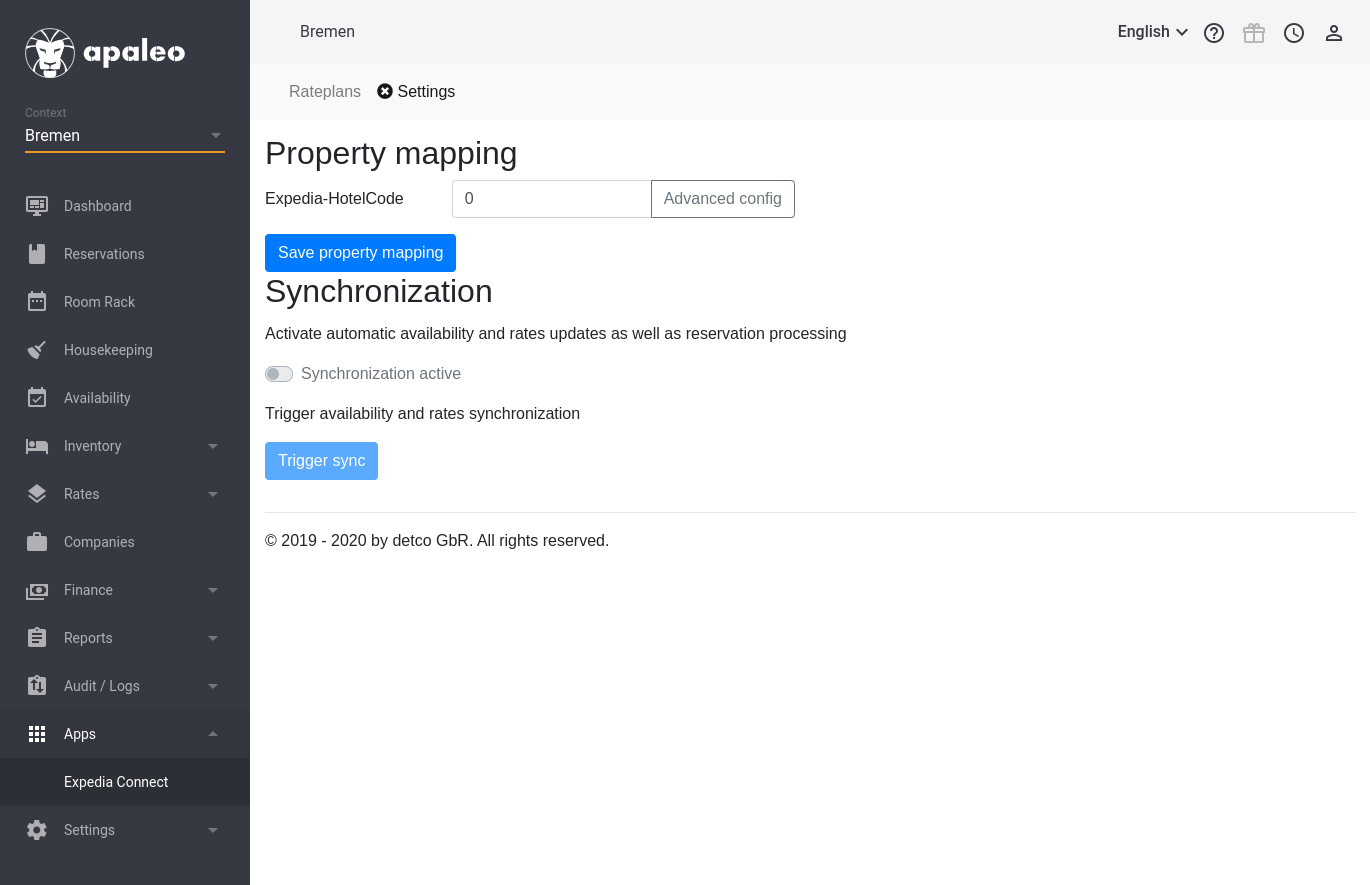
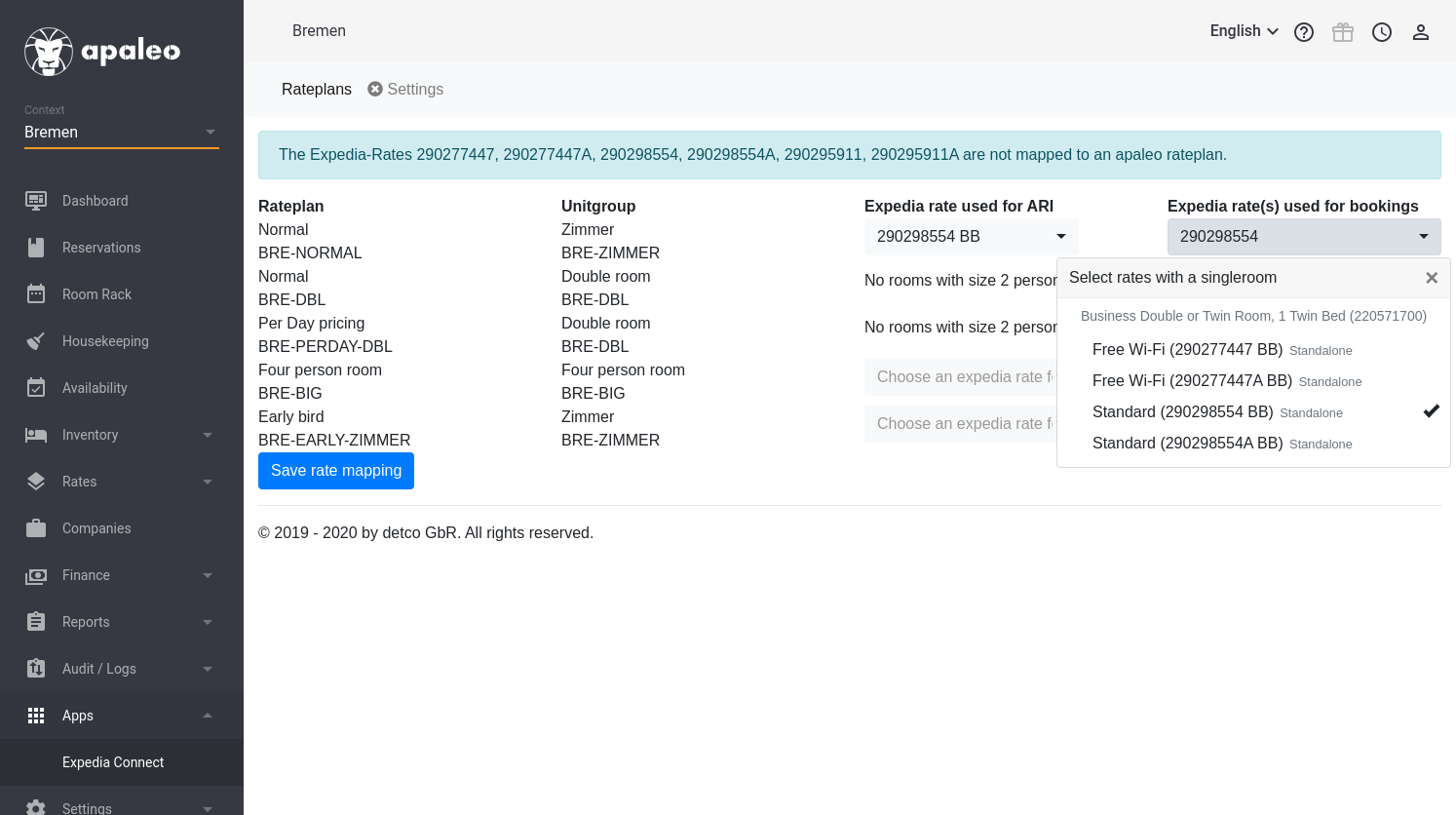
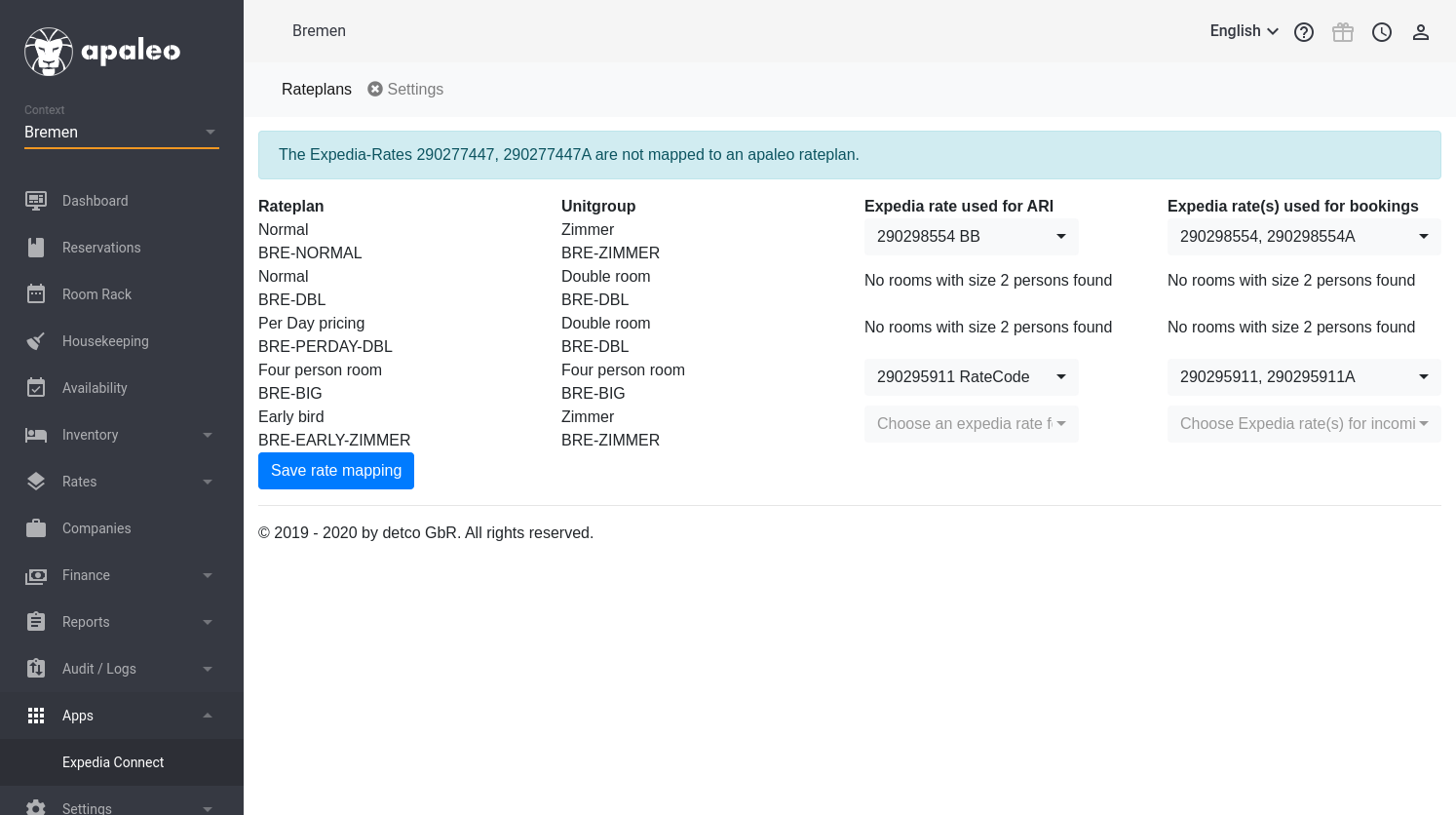
After entering the hotel-id you can return to the rateplans-tab to configure the mapping between apaleo-rateplans and expedia-rateplans.
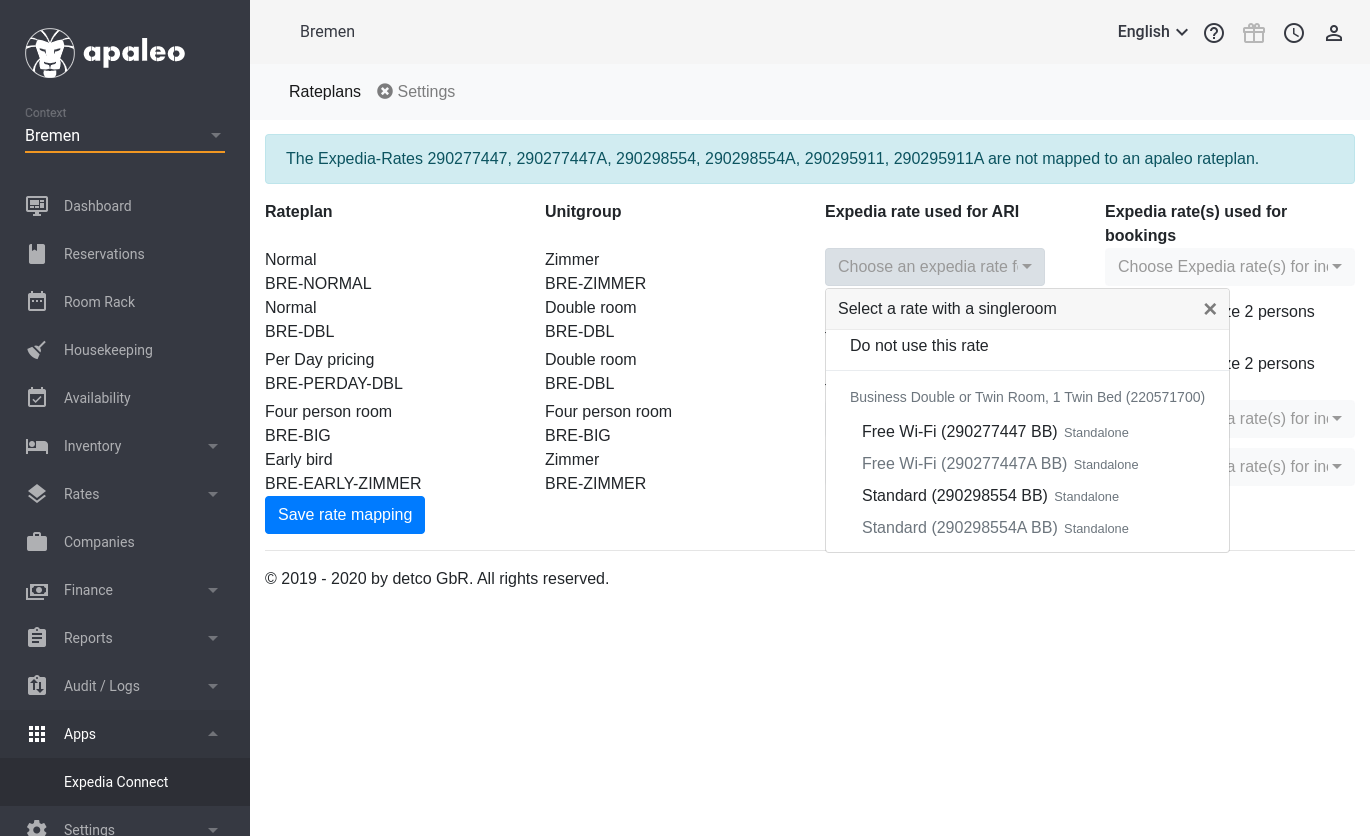
The table will show all rateplans with their configured unitgroup that are configured for channel-source Expedia.
For each rate, you can select one expedia-rate, which should receive the rate- and availability-information in the third column. (Some rates are greyed out in this list. Those are rates which are configured as derived or linked rates at expedia, i.e. they receive their ARI-information from another expedia-rate)
In the fourth column, you can enter all expedia-rates that should be
processed for incoming bookings for this apaleo rateplan. By default,
this is the rate selected for ARI, but you should add all other rates
that should go into the same apaleo-rate.
These can be f.e. package-rates, or the second rate in an
ExpediaCollect/HotelCollect rate-pair if you support both.
Activate
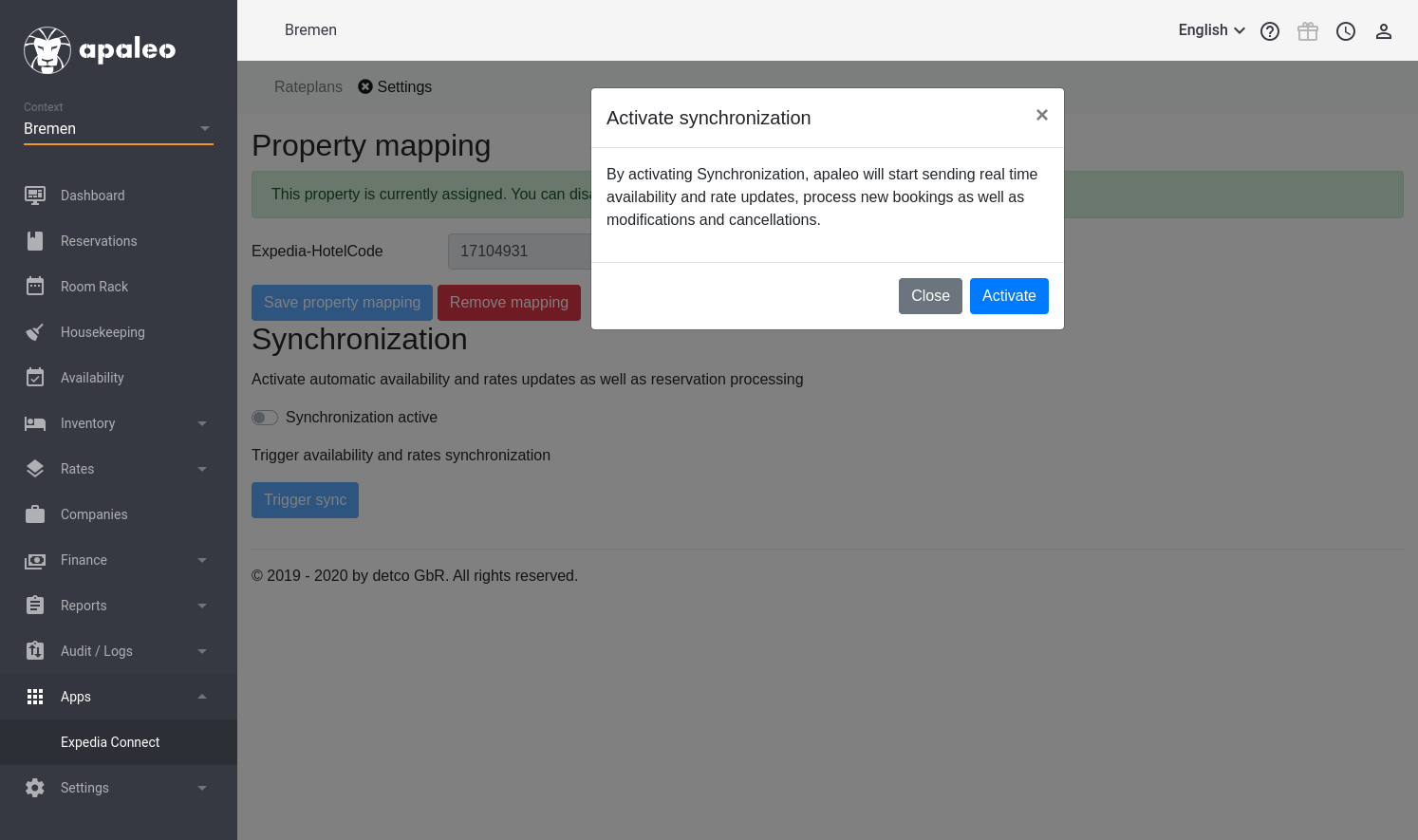
When you are satisfied with the rate-mapping, you can return to the "Config"-tab and click on "Activate synchronization".
- This will trigger a full sync, i.e. the hotel should receive rate- and availability-information
- any incoming bookings are also processed from now on
- if you suspect the information at expedia to be out-of-sync at any time (f.e. after you change the mapping on the rates-tab at a later time), you can force a new full synchronization on the config-tab.
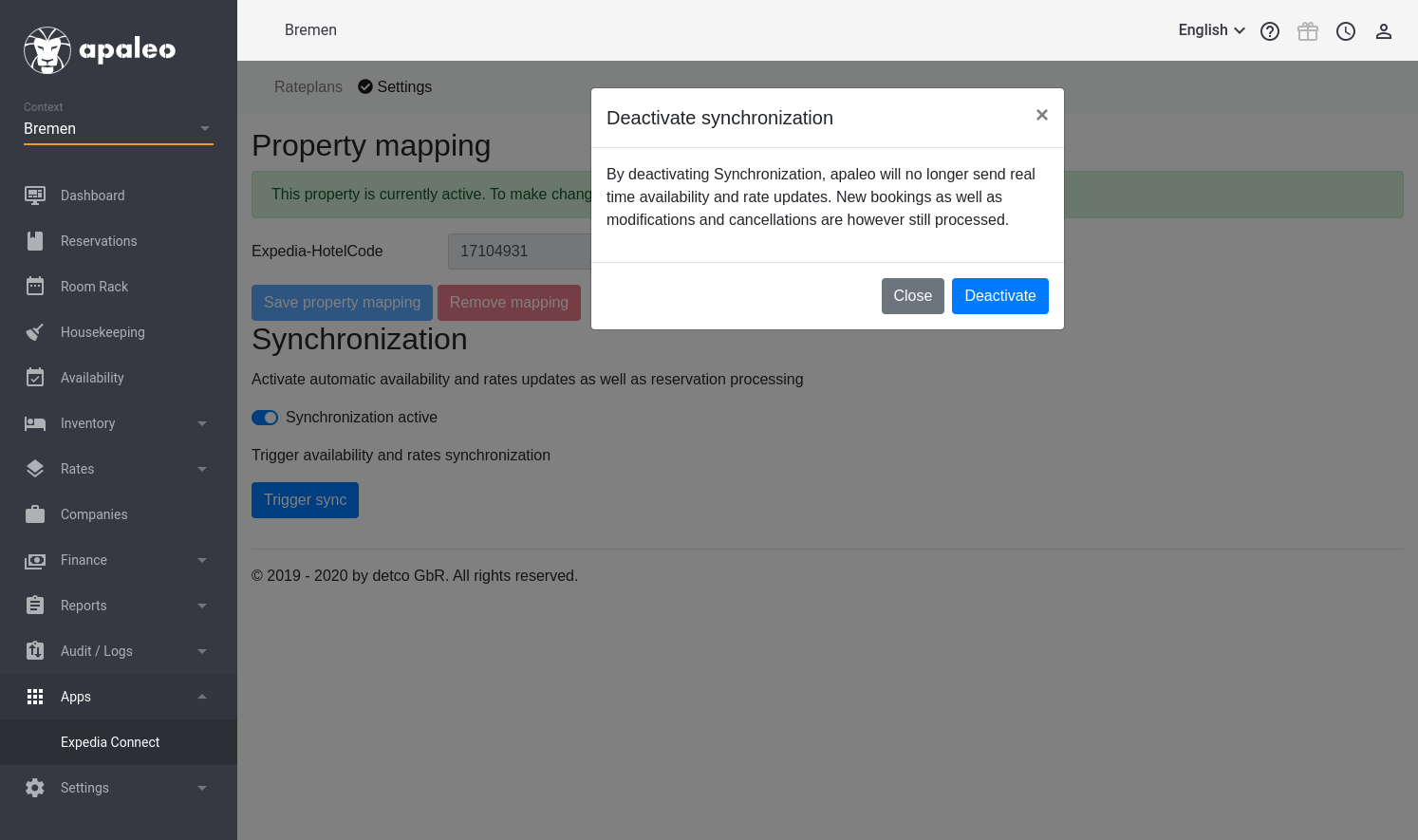
- When you want to pause synchronization, for example to make bigger changes or taking the hotel offline at expedia, you can deactivate synchronization again by using the "Synchronization active"-switch.
- Please note that this will not close the property at expedia, but you can do so manually from the expedia backend without apaleo reopening it again.